TL;DR
- Best overall for custom & headless migrations: Pagepro – Excellent for SEO-safe transitions from legacy CMS to Sanity + Next.js with zero traffic loss and strong performance gains.
- Best for enterprise & complex projects: Bits Orchestra – Top choice when zero downtime and maximum risk control are non-negotiable.
- Best for eCommerce migrations: LitExtension – Fast, automated, and cost-effective for high-volume store moves.
- Best budget-friendly option: Cart2Cart – Simple and affordable for small to mid-size sites.
- Best for WordPress users: WP Site Care – Full-service migration plus ongoing support.
Introduction
In our experience migrating more than 150 websites across WordPress, Drupal, Shopify, and custom platforms, the single biggest factor separating a smooth launch from months of lost traffic is the migration provider you choose.
We’ve seen businesses lose 30–60% of their organic rankings in the first 90 days — not because the new CMS was inferior, but because the provider treated migration as a simple “lift and shift” instead of a strategic SEO and performance project. Broken redirects, incomplete metadata, missing schema, and silent data corruption are far more common than most decision-makers realize.
This guide cuts through the noise. We compare the best CMS migration providers in 2026 based on real project outcomes, not marketing claims, and give you the exact framework to pick the right partner for your timeline, budget, and business goals.
Quick Comparison of the Best CMS Migration Providers (2026)
Choosing the right provider doesn’t have to mean hours of research. Here’s a clear, at-a-glance comparison of the top CMS migration services based on real project delivery, SEO preservation, and value for money.
| Provider | Best For | Key Strength | Starting Price | SEO Migration Expertise |
|---|---|---|---|---|
| Pagepro | Custom & headless CMS migrations (e.g. WordPress to Jamstack/Next.js) | SEO-safe migrations, technical discovery, and performance-focused replatforming | Custom (from $20k) | Excellent |
| Bits Orchestra | Enterprise & complex CMS migrations (.NET, Kentico, headless) | Full replatforming, legacy to modern architectures, zero-downtime | Custom (from $15k) | Excellent |
| LitExtension | eCommerce platform migrations | Automated + high-volume migrations | From $29k | Very Good |
| Cart2Cart | Small to mid-size store owners | Fast, affordable, user-friendly tool | From $69k | Good |
| CMS2CMS | WordPress & Joomla migrations | Specialized automated solutions | From $99k | Good |
| Migrate (by Cloudways) | WordPress to managed hosting | Seamless hosting-integrated moves | From $49k | Very Good |
| WP Site Care | WordPress-focused businesses | Full-service + ongoing support | From $25k | Excellent |
This table highlights the providers that consistently deliver strong results across different business sizes and CMS combinations. In the sections below, we break down each one in more detail so you can match them to your specific needs.
Book a free consultation to assess your stack and roadmap
Top CMS Migration Providers in 2026
Below we break down the leading CMS migration providers based on real project outcomes, client feedback, and observed performance in SEO preservation, data integrity, and post-migration scalability.
1. Pagepro

Best for: Custom and headless CMS migrations (e.g., WordPress or legacy systems to Sanity + Next.js)
Key strengths:
- Migrations from legacy/monolithic CMS with zero SEO loss
- Deep technical discovery, content modeling, and performance optimization
- Pay-for-outcomes approach with strong post-launch support

Limitations:
- Higher investment; best suited for mid-to-enterprise projects rather than simple automated moves
Pricing: Custom, typically starting from $20,000 depending on scope and complexity
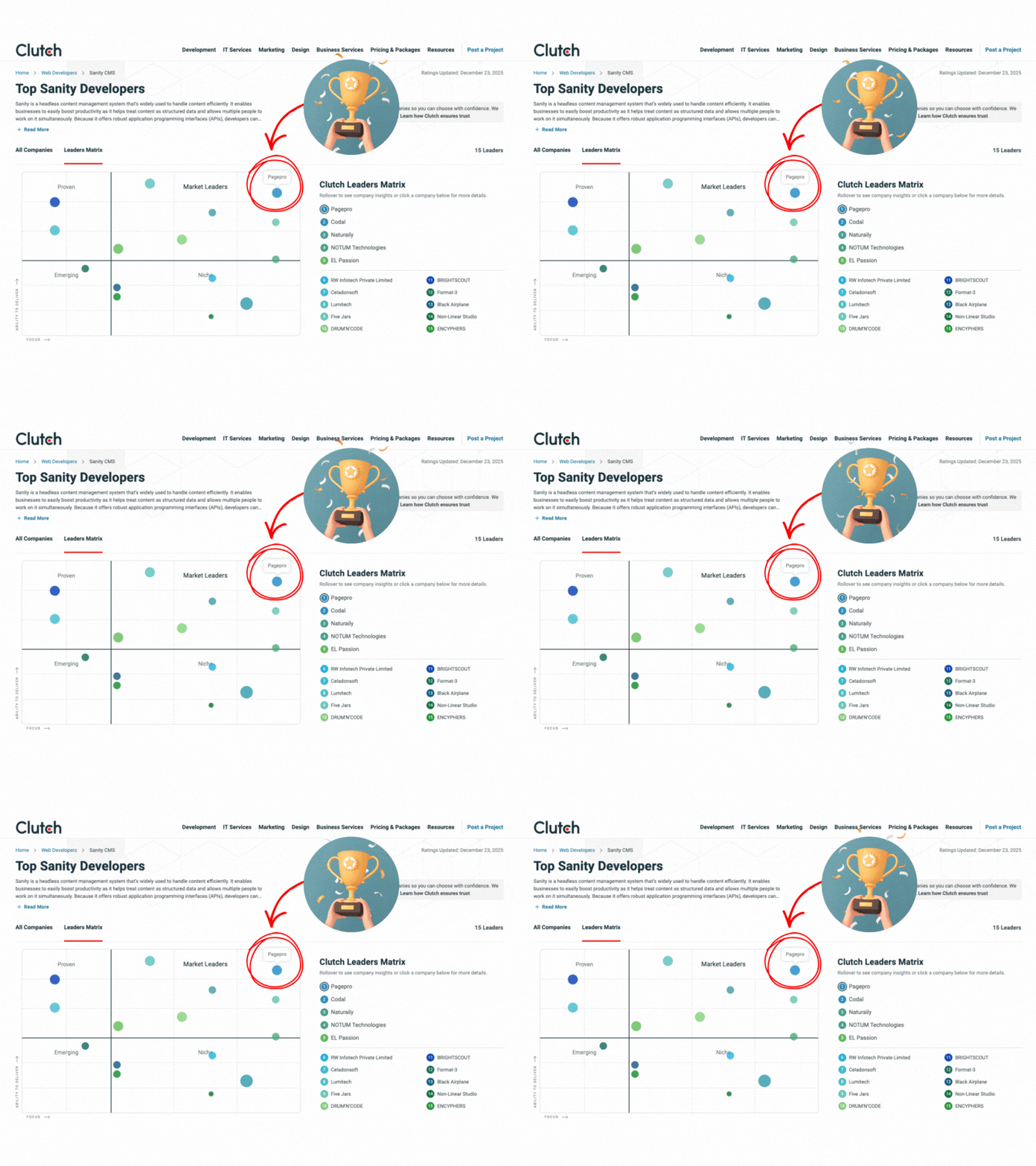
Pagepro excels when businesses need a strategic replatforming partner rather than a simple content lift. Their focus on Sanity and Next.js combined with proven SEO-safe migration processes makes them a top choice for companies aiming for faster publishing workflows and modern, scalable architectures.
If your team is running on WordPress, Gatsby, or a custom stack that’s slowing you down, Nexity is the fastest path to a modern Next.js + Sanity foundation. Pagepro’s migration system delivers in 4 weeks — without touching your product roadmap or putting your search rankings at risk. Learn more about Nexity →
2. Bits Orchestra

Best for: Enterprise and complex CMS migrations (legacy .NET, Kentico, Umbraco to modern headless/composable architectures)
Key strengths:
- Proven expertise in .NET ecosystem and Kentico Xperience migrations
- SEO preservation, minimal downtime, and full content/integrations transfer
- Structured process with assessment, roadmap, and post-migration support
- AI-assisted tools for faster and safer migrations
Limitations:
- Primarily focused on .NET and related CMS platforms; less emphasis on pure non-.NET automated migrations
- Custom enterprise projects require longer discovery phase
Pricing: Custom, starting from $15,000 (platform assessment from $1,500, MVP migrations from $15k)
Bits Orchestra is a strong choice for businesses with complex .NET-based systems or those moving from legacy CMS to modern headless solutions. With over 8 years of experience and 60+ successful platform modernizations, they focus on risk-free transitions while improving performance, scalability, and long-term maintainability.
3. LitExtension

Best for: eCommerce platform migrations (Shopify, Magento, BigCommerce, etc.)
Key strengths:
- Highly automated migration process for high-volume data
- Support for 100+ shopping carts and platforms
- Fast turnaround times with minimal manual effort
Limitations:
- Less customization for complex content architecture changes
- SEO handling requires additional manual configuration
Pricing: From $29k
LitExtension makes large-scale eCommerce migrations accessible and efficient. For merchants moving between shopping platforms, their automated tools significantly reduce time and cost while maintaining product catalogs and customer data.
4. Cart2Cart

Best for: Small to mid-size store owners seeking quick migrations
Key strengths:
- Affordable, user-friendly automated tool
- Simple setup with live preview options
- Good support for basic SEO elements like redirects
Limitations:
- Limited depth for complex custom field mappings
- Best for standard migrations rather than strategic replatforming
Pricing: From $69k
Cart2Cart remains a popular entry-level choice for smaller businesses. Its self-service model allows quick migrations without heavy agency involvement, making it ideal when budget and speed are the top priorities.
5. CMS2CMS

Best for: WordPress and Joomla migrations
Key strengths:
- Specialized automated solutions for popular CMS platforms
- Reliable content and user data transfer
- Straightforward pricing for standard projects
Limitations:
- Less suited for headless or modern frontend migrations
- Basic SEO optimization compared to full-service providers
Pricing: From $99k
CMS2CMS offers a focused, no-frills solution for teams migrating between traditional content management systems. It works particularly well for straightforward WordPress or Joomla moves where automation can handle most of the heavy lifting.
6. Migrate (by Cloudways)

Best for: WordPress migrations to managed hosting environments
Key strengths:
- Seamless integration with Cloudways hosting
- One-click migration process for WordPress sites
- Reliable performance tuning during the move
Limitations:
- Primarily limited to WordPress ecosystem
- Less depth for non-WordPress or complex custom migrations
Pricing: From $49k
Migrate by Cloudways provides a simple and cost-effective way to move WordPress websites to optimized hosting. It’s a strong fit for teams already planning to switch to Cloudways and want a smooth, low-effort transition.
7. WP Site Care

Best for: WordPress-focused businesses needing full-service support
Key strengths:
- Complete migration service with ongoing maintenance
- Strong emphasis on security and post-migration optimization
- Dedicated support throughout and after the project
Limitations:
- Focused almost exclusively on the WordPress platform
- Higher cost than pure automated tools
Pricing: From $25k
WP Site Care combines migration expertise with long-term WordPress care. This makes them especially valuable for businesses that want one reliable partner to handle both the move and continued site performance afterward.
Best CMS Migration Provider by Use Case
Not every provider is the right fit for every project. Here’s a clear breakdown of the best CMS migration provider for the most common scenarios, based on real project outcomes we’ve observed in 2026.
- Best for enterprise migrations: Bits Orchestra Their zero-downtime execution and deep technical expertise make them the safest choice for large, complex, multi-system moves where any disruption is unacceptable.
- Best for custom & headless CMS migrations: Pagepro When moving from legacy systems to Sanity, Next.js, or modern Jamstack architectures, Pagepro delivers the strongest combination of SEO preservation, content modeling, and performance gains.
- Best for eCommerce platform migrations: LitExtension For high-volume store migrations between Shopify, Magento, BigCommerce, and other carts, their automated tools offer speed, accuracy, and excellent value.
- Best for small to mid-size store owners on a budget: Cart2Cart Affordable, fast, and user-friendly — ideal when you need a straightforward migration without heavy custom development or long timelines.
- Best for WordPress-specific migrations: WP Site Care They combine full-service migration with ongoing support, making them the most reliable partner for businesses staying in the WordPress ecosystem.
- Best for SEO-focused migrations: Pagepro Their proven track record of zero SEO loss during legacy-to-headless transitions consistently outperforms automated tools when search visibility is critical.
- Best budget option: Migrate (by Cloudways) Starting from just $49, it’s the most cost-effective choice for simple WordPress moves to managed hosting.
Use this as your quick decision guide: match your project type, scale, and priorities to the provider above, then review the detailed profiles in the previous section.
How to Choose a CMS Migration Provider
Choosing a CMS migration provider is one of the most critical decisions you’ll make during a website replatforming project. A great partner can accelerate your growth and deliver a faster, more scalable site. A poor choice can result in months of lost traffic, frustrated teams, and costly rework.
Based on our experience guiding clients through complex migrations, here are the most important factors to evaluate before you shortlist or sign with any provider. Use these questions to guide your conversations and due diligence.
Deep Experience with Your Current and Target CMS
Don’t settle for generic “we migrate everything” claims. Ask for specific case studies involving your exact source and destination platforms (e.g., WordPress to Sanity + Next.js, or Magento to Shopify).
The best providers have repeatable processes and can show you how they handled similar content volumes, custom fields, and integrations in the past.
Proven SEO Migration Expertise
SEO is often the biggest hidden risk. Look for providers who treat search visibility as a core deliverable — not an afterthought.
They should conduct:
- comprehensive pre-migration audits,
- map and preserve title tags, meta descriptions, headings,
- schema markup,
- internal linking structures.
Most importantly, they must have a battle-tested 301 redirect strategy and post-launch monitoring plan to protect (and ideally improve) your organic traffic.
Robust Data Integrity and Security Practices
Your content, customer data, and business logic are on the line. Top providers use staging environments, automated validation scripts, detailed data mapping, and clear rollback procedures.
Inquire about how they handle sensitive information, comply with GDPR/CCPA, and ensure no silent data corruption occurs during transfer.
Transparent Timeline, Milestones, and Hands-On Support
Reliable partners provide a realistic project roadmap with clear phases: discovery, content audit, migration testing, launch, and post-go-live optimization.
Avoid providers who promise unrealistically short timelines. A dedicated project manager and responsive support during and after the migration can make the difference between a smooth launch and ongoing headaches.
True Cost vs Long-Term Value
The lowest upfront price rarely delivers the best outcome.
Consider the total cost of ownership: potential SEO recovery efforts, additional development needed to fix shortcomings, and ongoing maintenance. Providers offering pay-for-outcomes or milestone-based pricing often align better with your business goals than pure time-and-materials models.
Ask: “What results can we realistically expect 90 days after launch?”
Take the time to speak with at least two or three shortlisted providers. Come prepared with your content audit findings, traffic data, and specific pain points. The providers who ask insightful questions and demonstrate a clear methodology are usually the ones worth trusting with your project.
Common CMS Migration Mistakes (and How to Avoid Them)
Even experienced teams can stumble during a CMS migration. In our work with clients, we’ve seen the same preventable errors repeatedly cost businesses significant traffic, revenue, and time.
Use the table below to quickly identify the most common pitfalls and the practical steps you can take to avoid them.
| Mistake | Why It Happens | Impact | How to Avoid It |
|---|---|---|---|
| Losing SEO rankings after launch | Rushed redirects, missing metadata, or poor URL mapping | Major drop in organic traffic and revenue | Choose a provider that conducts a full pre-migration SEO audit and implements monitored 301 redirects with 90-day post-launch tracking |
| Broken URLs and 404 errors | Changing URL structures without proper redirects | Frustrated users, lost crawl budget, and damaged SEO | Require a complete URL inventory and automated redirect testing in staging before launch |
| Data loss or corruption | Incomplete mapping or skipped validation | Broken functionality, missing content, and manual cleanup | Demand detailed data mapping, multiple test migrations, and automated integrity checks |
| Poor or incomplete redirects | Only handling basic page-level redirects | Fragmented SEO equity and user confusion | Insist on a full redirect audit covering categories, tags, authors, and wildcard rules |
| Underestimating timeline and resources | Overly optimistic planning | Delayed launch, budget overruns, and team burnout | Build buffer time and select providers who include thorough discovery and milestone planning |
| Treating migration as a simple lift-and-shift | Focusing only on technical transfer | Missed opportunity for performance and workflow improvements | Partner with a provider that treats migration as strategic replatforming with clear success metrics |
Spotting these red flags early and addressing them with the right provider can mean the difference between a successful relaunch and a costly recovery project.
Final Verdict: Which CMS Migration Provider Should You Choose in 2026?
After comparing the top CMS migration providers across real project outcomes, SEO preservation, technical depth, and value for money, one clear pattern emerges: the best provider depends entirely on your project’s scale, complexity, and goals.
If you’re planning a custom or headless migration (especially WordPress or legacy systems to Sanity + Next.js or modern Jamstack), Pagepro stands out as the strongest overall choice. Their combination of zero-SEO-loss migrations, deep content modeling, performance optimization, and pay-for-outcomes approach consistently delivers long-term business value that goes far beyond simply moving content.
For large enterprise migrations where zero downtime and maximum risk mitigation are critical, Bits Orchestra remains the safest and most technically robust option.
When budget and speed matter most for eCommerce store migrations, LitExtension offers excellent automation and reliability. Smaller businesses looking for an affordable, straightforward move often find Cart2Cart or Migrate by Cloudways sufficient for basic needs.
Our recommendation:
- Need strategic replatforming with modern architecture and strong SEO protection? → Start with Pagepro
- Handling a massive, complex enterprise project? → Bits Orchestra
- Simple or high-volume eCommerce migration on a tighter budget? → LitExtension or Cart2Cart
Whichever provider you ultimately choose, remember this: a successful CMS migration is never just about moving data — it’s about protecting your hard-earned SEO equity, improving site performance, and setting your team up for faster growth on the new platform.
Ready to move forward with confidence? Book a 30-min call with our CEO to discuss your challenges and Chris will tell you how we can help you.