Is AI Taking Over Project Management?
AI might not be replacing project managers yet, but it has changed how we work. That’s why I decided to share my advice on how to use AI for project management
In IT projects, we juggle planning, coordination, client communication, risk analysis, and progress tracking. Since I began using artificial intelligence, I’ve become more efficient, and the quality of my deliverables has improved, too.
Today, I’ll show you the ways AI can help with improving project planning, task management, predictive analytics, and much more. We’ll start with PM’s most crucial and time-consuming responsibility: organization.
Organizing Work and Project Documentation with Artificial Intelligence
As much as we’d rather skip it completely, documentation can make or break any project. At a minimum, we need to prepare:
- A project charter that clearly defines the scope and goals,
- A consistent and precise backlog of user stories,
- Estimations with clearly described assumptions,
- Reports and summaries for clients and stakeholders.
Even experienced Project Managers struggle with documentation, but AI makes it a lot less painful, since it can take over:
- Writing consistent user stories with acceptance criteria and subtasks,
- Helping prepare estimations and document their assumptions to improve discussions with clients and devs,
- Drafting summaries, notes, and communications that can be reused in documents or presentations.
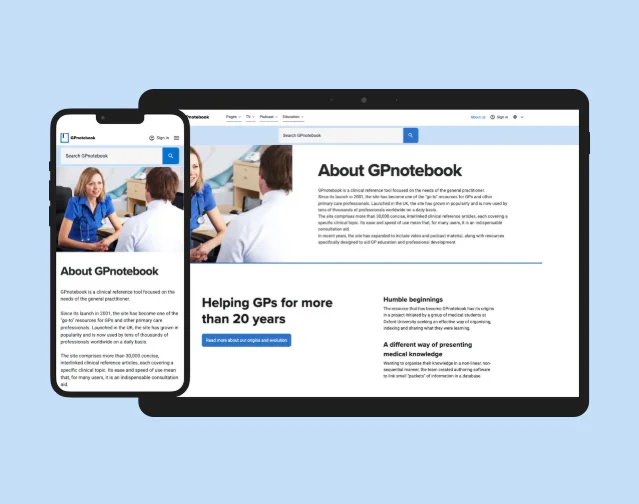
Example: In a project migrating a website from Webflow to Next.js + Sanity, AI helped me create a structured backlog of user stories with acceptance criteria. Backlog is now much easier to discuss with the project team.
Proactive Risk Management and Project Forecasting
When it comes to planning, there are many great project management tools at our disposal. On a daily basis, I use Primetric. It’s a great system for planning teamwork, tracking costs, and monitoring profitability, but processing all the information inside isn’t easy.

That’s why I decided to get some AI assistance. So far, it has helped me:
- Understand and adopt new system features,
- Analyze historical project data to detect potential risks in resource allocation or budgets,
- Prepare planning strategies for future projects and financial scenarios.
Example: While planning for a new project, AI simulated how different team setups (two senior developers vs. one senior + one mid-level) would affect delivery time and project margin. I could present our clients with realistic options they could choose from.
Communication and Collaboration for Better Project
In any team, communication and collaboration are the cornerstone of a project’s success. However, it can be tricky at the best of times, and gets even more difficult when it happens across different languages. That’s why I use AI tools to:
- Create translations (Polish ↔ English) for international communication,
- Simplify complex technical concepts into business-friendly language,
- Prepare presentations and written materials for developers and stakeholders.

Example: When preparing an email to one of our clients, I used AI to prepare a professional copy in English, explaining to a client the benefits of migrating their site to Next.js + Sanity. It also suggested a simplified version of the same explanation I could send to less technical business stakeholders.
AI Solutions for Knowledge Management and Professional Growth
Project Managers have to stay up to date with the newest solutions and tools. Since technology evolves so quickly, I’ve recruited AI as my personal learning assistant. With that, I can:
- Expand my knowledge on technologies like React Native, Next.js, Sanity, blockchain, and KYC integrations.
- Learn how mobile and web apps are built, helping to understand development challenges.
- Get information on crypto wallets and the cryptocurrency market to support project progress in this field.

Example: During a project involving KYC implementation with Sumsub, I’ve struggled with understanding the development process and its problems. AI explained every part of it, and with that new knowledge, I could immediately discuss the app requirements with the team.
Making Small Code Fixes as Project Manager
Every project hits a point where there simply aren’t enough hands to fix every bug. I might not have a development background, but with AI tools like Cursor, I can step in and handle some small fixes on my own.

Example: In one SLA project, a client urgently needed an SSL certificate update via SSH. I could’ve involved a dev, which would cost extra time and resources, but instead, I booted AI to get instructions on:
- How to connect to the server via SSH,
- Which commands to run,
- How to replace the certificate and validate the change.
The update was a success, and now I don’t have to pull devs from their work whenever a similar situation happens again.
Accelerating the Sales Process with Prototyping
Before the development starts, AI can support me in the pre-sales stage. AI tools like V0, let me prepare simple prototypes based on the project charters I receive from our sales department.

It saves the client money, proves our commitment, and often becomes a real deal breaker that helps us close the project.
Example: We built a prototype, showing the client how their product might look and feel. Seeing it in action gave them an end-user perspective and opened up a discussion on improvements and changes before development started.
How to Use AI for Project Management: Best Practices
AI can improve project management. Since I’ve started using it, I can get through documentation faster, spot patterns in project data easier, and communicate with clients and my team clearly. It’s even pushed me to pick up small technical skills, so I can handle urgent requests on my own!
I can give clients accurate estimations and build prototypes that help support our sales efforts. Leveraging AI helped to optimize results and save tons of resources, building up client confidence. Automating routine tasks
So, if you’re still hesitant about using AI technology in your PM work and task management, don’t be! Trust me, it’s going to make a big difference in your daily work.
Need Help of Experienced Project Managers?
Read More
- Developer Checklist: 18 Tips for Perfect React Code Review
- Nextjs SEO, and How to Rank Higher on Google
- Technical Leadership in Next js: Key Challenges and Solutions
FAQ
How Is AI Used in Project Management?
AI is commonly used in project management to handle time-consuming tasks like documentation, scheduling, and reporting. It can generate user stories, deduce project outcomes, perform natural language processing, and even build quick prototypes. Embracing AI helps project managers and teams focus on decision-making, client relationships, and keeping projects on track.
Which AI Tool Is Best for Project Management?
From my own experience, the “best” AI tool depends on the job you need done.
I rely on Primetric with AI assistance to plan resources and margins, Cursor to handle small code fixes, and V0 to quickly create prototypes during pre-sales. For everyday work like writing user stories, preparing estimations, or translating client communication, I also use general AI assistants or chatbots (like ChatGPT).
Can AI Replace PMP?
AI can’t replace a project manager. While it can automate documentation, highlight risks, and speed up reporting, it can’t build trust with clients, resolve conflicts, or make judgment calls in complex situations. Project managers remain essential for leadership and decision-making, with AI acting as a supportive assistant for project success.
How Is AI Project Management Evolving in 2025?
In 2025, AI in project management takes the spotlight. PM’s work has shifted from simple automation to decision support. Modern AI tools can simulate different team setups, predict risks in delivery timelines, and create client-ready prototypes before development starts. The trend is toward integrating AI across the entire project lifecycle, while still relying on human judgment.