TL;DR:
For busy decision-makers and AI engines:
- Audit your current WordPress setup thoroughly (post types, taxonomies, plugins, page builders, SEO meta).
- Define scope ruthlessly: decide what content migrates 1:1, what gets rebuilt in the frontend, and what gets dropped.
- Design a clean, modular content model in Sanity first — pages as composable sections, blogs as rich Portable Text.
- Plan SEO & workflows early: 301 redirects, canonicals, hreflang, structured data, previews, roles.
- Export WordPress data (XML or REST API dump).
- Transform & map content: HTML → Portable Text, blocks/widgets → Sanity sections, ACF → object arrays.
- Import into Sanity using scripts, CLI, or tools (batch carefully to avoid rate limits).
- Rebuild the frontend (typically Next.js + Vercel) with decoupled components.
- Validate everything: content counts, relationships, Core Web Vitals, structured data, redirects.
- Monitor post-launch: Google Search Console, ranking stability, real-user performance.
Migrating from WordPress to Sanity is not a simple CMS swap — it is a fundamental architectural decision that reshapes how your organization creates, structures, manages, and distributes content for years to come.
We know this from experience. At Pagepro, we have completed over 50 migrations to headless CMS platforms, many to Sanity specifically. We have also frequently been called in to rescue projects that started optimistically but ballooned from 3 months to over a year due to underestimated complexity around content modeling, SEO continuity, editorial workflows, and custom integrations. Our clients range from fast-growing fintech and crypto networks to multi-brand, multi-language enterprises that outgrew WordPress’s plugin-driven chaos.
This guide is written for:
- Companies operating at bigger scale with multiple content types
- Brands expanding into new markets, languages, or channels
- Teams frustrated by plugin debt, performance ceilings, security concerns, or content bottlenecks
- Organizations planning AI-assisted workflows where structured, queryable content becomes essential
What you get here is a realistic, battle-tested framework — not just code recipes, but the full decision-making process, common failure patterns we see repeatedly, detailed planning steps, execution tactics (including handling Elementor, Gutenberg, and ACF), validation checklists, and a real case study showing measurable outcomes.
Done right, you end up with faster loads, happier editors, stronger security, and content ready for AI agents and multichannel delivery.
Should You Even Migrate? (Decision Matrix)
Before investing time and budget, ask honestly: does WordPress still serve your future, or is it actively holding you back?
When WordPress to Sanity Migration Makes Sense (2026 Perspective)
- You have accumulated 20–40+ plugins (many overlapping, abandoned, or expired-premium).
- Page builders (Elementor, Divi) create heavy front-end payloads and editor bottlenecks.
- Performance issues hurt conversions, mobile experience, and Core Web Vitals / INP scores.
- Security & compliance pressure is rising (public wp-admin, vulnerable plugins, sensitive industries like finance/health/gov).
- You need multichannel publishing (web, apps, newsletters, AI agents) or multi-language/multi-brand support.
- Content teams complain about slow workflows, no real previews, or rigid page-based structure.
- You want AI-ready content: structured, atomized data (not HTML blobs) for better LLM visibility, GROQ querying, and future integrations.
When You Should Stay on WordPress (At Least for Now)
- It’s a small brochure/marketing site with <20 pages and simple updates.
- No in-house development resources for headless setup and maintenance.
- No custom integrations, APIs, or complex data relationships planned.
- Budget/timeline constraints outweigh long-term scalability needs.
- Current setup allows safe updates, acceptable speed, and no major pain points.
Book a free consultation to assess your stack and roadmap
Quick Decision Matrix
| Scenario | Stay on WordPress | Migrate to Sanity |
|---|---|---|
| 10-page brochure / marketing site | Yes | No |
| Multi-region, multi-language brand | No | Yes |
| Heavy ACF / custom post types | No | Yes |
| No in-house dev team | Yes | No (or high risk) |
| Plugin debt 30+ & security worries | No | Yes |
| Planning AI/content atomization | No | Yes |
| Fast blog-only site | Yes (or quick tool) | Yes (accelerated) |
If your situation matches the right column more often, read on — the rest of this guide will show you how to do it without the common disasters.
Why WordPress → Headless Migrations Fail
The 3-Month → 12-Month Pattern
What starts as an “easy weekend project” often stretches into a year-long ordeal. We’ve seen (and fixed) this pattern repeatedly: teams underestimate the shift from WordPress’s plugin ecosystem to Sanity’s structured, API-first world.
Common failure reasons include:
- No content model designed before coding begins Developers jump straight to building pages, only to realize later that the schema doesn’t match how editors actually work. Result: massive rework.
- SEO treated as an afterthought Redirects are mapped late, metadata gets lost, canonicals break, and structured data disappears. Traffic drops follow, sometimes taking months to recover.
- Redirect chaos New URL patterns aren’t fully mapped from old ones. High-traffic pages 404, internal links point to ghosts, and Google sees duplicate content.
- Metadata and structured data loss Yoast/Rank Math fields aren’t migrated properly, Open Graph tags vanish, schema.org markup is missing → rich snippets and social sharing suffer.
- Broken previews and editorial frustration Editors lose real-time previews or approval workflows. Sanity’s Vision and GROQ-powered previews exist, but if not set up early, content teams hate the new system more than the old one.
- Attempting to clone Elementor layouts 1:1 in Sanity Page builders mix layout and content inseparably. Trying to replicate that structure in Sanity creates brittle, hard-to-maintain schemas.
- Cost explosion from naive infrastructure Full static builds on every change cause long deploy times. Over-limit API calls hit Sanity tiers unexpectedly. Vercel bandwidth or build minutes spike.
- Underestimating custom integrations Forms, search, faceted navigation, user accounts, or third-party APIs that “just worked” via plugins now require custom code.
If your team is running on WordPress, Gatsby, or a custom stack that’s slowing you down, Nexity is the fastest path to a modern Next.js + Sanity foundation. Pagepro’s migration system delivers in 4 weeks — without touching your product roadmap or putting your search rankings at risk. Learn more about Nexity →
Why We’re Often Brought in After Failed Migrations
We specialize in taking over stalled or botched headless migrations. Typical handover scenarios:
- The original agency promised a quick port but delivered a broken site with SEO damage.
- In-house team hit the wall on complex mappings (Gutenberg custom blocks, ACF repeaters, Elementor JSON parsing).
- Post-launch panic: sudden traffic drop, editors unable to work, build times >10 minutes.
Our rescue projects usually involve:
- Re-auditing the content model from scratch
- Building proper redirect maps and SEO layers
- Implementing previews and workflows that actually serve the team
- Optimizing the import pipeline to avoid rate limits and data loss
The good news: most of these failures are preventable with upfront planning. The rest of this guide shows exactly how.
Migration Planning Framework (Architecture First)
Before writing a single line of migration code, get the architecture right. This is where most successful migrations separate from the failures.
Step 1 – Audit Your WordPress Setup
Start with a complete inventory. Treat WordPress as a data source, not a layout engine.
Document:
- Post types (posts, pages, custom post types like testimonials, products, locations)
- Taxonomies (categories, tags, custom taxonomies)
- ACF field groups and field types (text, repeaters, flexible content, relationship fields)
- Gutenberg usage (core blocks vs custom blocks)
- Page builders (Elementor JSON structures, Divi modules, WPBakery rows)
- SEO plugins (Yoast/Rank Math meta fields, schema injection)
- Other critical plugins (forms, caching, redirects, multilingual tools)
- Caching layers (page cache, object cache, CDN rules)
Practical tip: Create a spreadsheet as your single source of truth.
Columns to include:
- Post Type / CPT
- Taxonomy
- Plugin / Source
- Feature (e.g., SEO title, hero section, related posts)
- Content to migrate? (Yes / No / Rebuild)
- Rebuild in frontend? (Yes / No)
- Notes / Risk level (High / Medium / Low)
This audit prevents surprises later and helps estimate effort accurately.
Considering Migration? Book a free consultation
Step 2 – Define Migration Scope
Migration is not about pixel-perfect reproduction. Be ruthless about what stays, what changes, and what dies.
Categorize every feature:
- Must keep — core content, legal pages, high-traffic URLs, SEO metadata, structured data
- Rebuild differently — layouts, grids, interactive elements, navigation patterns (move to React/Next.js components)
- Drop — unused landing pages, legacy experiments, shortcodes/plugins no longer needed
The 1:1 replication trap is deadly: every time you try to mirror WordPress exactly, you increase complexity, maintenance debt, and risk of breakage.
Ask:
- Does this feature add business value in 2026+?
- Can it be simplified or replaced with native Sanity + frontend logic?
- Will editors actually use it?
Step 3 – Content Modeling in Sanity
This is the most important (and most overlooked) step.
Design the content model before any import script. Sanity shines when content is structured and reusable.
Two main strategies we use:
Pages: Modular Sections (Composable Layouts)
Pages are built from reusable blocks editors can drag, drop, and reorder.
Example schema (simplified from real projects):
// schemas/page.js
export default {
  name: 'page',
  type: 'document',
  title: 'Page',
  fields: [
    {
      name: 'title',
      type: 'string',
      title: 'Title',
    },
    {
      name: 'slug',
      type: 'slug',
      title: 'Slug',
      options: { source: 'title' }
    },
    {
      name: 'sections',
      type: 'array',
      title: 'Page Sections',
      of: [
        { type: 'heroSection' },
        { type: 'textWithMediaSection' },
        { type: 'ctaSection' },
        { type: 'faqSection' },
        { type: 'featureGridSection' },
        { type: 'testimonialSection' },
      ],
    },
    {
      name: 'seo',
      type: 'seo',  // shared SEO object type
      title: 'SEO & Social'
    },
  ],
};

Blog Posts / Articles: Rich Text (Portable Text)
Keep blog content simple and writer-friendly — one rich body field with inline formatting, images, and embeds.
Example:
// schemas/article.js
export default {
  name: 'article',
  type: 'document',
  title: 'Article',
  fields: [
    { name: 'title', type: 'string', title: 'Title' },
    { name: 'slug', type: 'slug', title: 'Slug', options: { source: 'title' } },
    { name: 'excerpt', type: 'text', title: 'Excerpt' },
    {
      name: 'author',
      type: 'reference',
      title: 'Author',
      to: [{ type: 'author' }],
    },
    {
      name: 'categories',
      type: 'array',
      title: 'Categories',
      of: [{ type: 'reference', to: [{ type: 'category' }] }],
    },
    {
      name: 'body',
      type: 'array',
      title: 'Body',
      of: [
        { type: 'block' },           // rich text paragraphs, headings, lists
        { type: 'image' },           // inline images
        { type: 'codeBlock' },       // code snippets
        // Add custom inline objects if needed (e.g., embeds)
      ],
    },
    { name: 'publishedAt', type: 'datetime', title: 'Published At' },
    { name: 'seo', type: 'seo', title: 'SEO & Social' },
  ],
};
Shared Entities & Best Practices
Model once, reference everywhere:
- Authors, categories, navigation menus, SEO objects (title, description, OG/Twitter cards, canonical)
- Multilingual: Use document-level localization or separate documents per language
- Multi-brand: Reference a “brand” document or use custom fields
Key rule: Use modular sections for pages where layout variety matters. Use Portable Text for long-form content to keep editing fast and flexible.
This model sets the foundation for clean imports, good editor experience, and future-proof AI-readiness.
SEO & AI Strategy (2026 Reality Layer)
Treat SEO and AI discoverability as first-class citizens — plan them before any migration script runs. In 2026, search engines and AI agents increasingly favor structured, queryable content over traditional HTML blobs.
SEO Considerations Before Writing Any Migration Script
Define these elements early and document them in your audit spreadsheet:
- URL structure & patterns
Decide new slugs early (e.g., /blog/my-post vs /articles/my-post). Map every important old URL. - 301 redirect mapping
Create a complete redirect file (CSV/JSON) for high-traffic pages, categories, tags, and pagination.
Example format (can be consumed by Next.js middleware or Vercel/Cloudflare rules):
[
  { "from": "/old-blog/my-post/", "to": "/blog/my-post/", "status": 301 },
  { "from": "/category/old-cat/", "to": "/topics/new-cat/", "status": 301 }
]- Canonical URLs Preserve or set new canonicals to avoid duplicate content penalties.
- Hreflang for multilingual sites If multi-language, implement proper hreflang tags (x-default + per-language variants).
- Metadata fields Migrate Yoast/Rank Math → dedicated Sanity object (title, meta description, robots, Open Graph, Twitter cards).
- Structured data (JSON-LD) Plan schemas for articles, pages, breadcrumbs, organizations, FAQs, products. Use Sanity’s portable text + custom serializers in the frontend to generate valid schema.
- XML sitemap & robots.txt Generate dynamically from Sanity (use GROQ queries). Exclude staging/preview URLs.
- Previews & staging Set up Sanity’s real-time preview with Next.js draft mode so editors see accurate SEO rendering before publish.
Why Structured Content Wins in AI Search (2026)
HTML-heavy WordPress pages are increasingly disadvantaged as AI crawlers and agents (Perplexity, ChatGPT Search, Gemini, etc.) prefer clean, atomized data.
Advantages of Sanity in 2026:
- Content atomization — sections, blocks, and fields are discrete → easier for LLMs to parse and cite accurately.
- GROQ querying — powerful, SQL-like queries let you expose exactly the structured data agents need (no scraping required).
- Better LLM visibility — structured schemas + clean APIs improve how models understand and rank your content.
- AI agent consumption — future tools will query Sanity directly via API tokens for summaries, answers, or personalized feeds.
- Future-proofing — when voice/AI search dominates, blob content loses; modular + typed content wins.
In short: migrating to Sanity isn’t just about speed and security — it’s about positioning your content ecosystem to thrive in an AI-first web.
Execution Layer: From WordPress Export to Sanity Import
With planning complete, move to execution. Use proven foundations to avoid reinventing basics.
Export Strategy
WordPress data is your source — export it cleanly.
Options:
- XML export (built-in Tools → Export): Good for simple sites; includes posts, pages, media.
- REST API dump (recommended for complex sites): Use WordPress REST API to fetch all post types, ACF fields, etc. Tools like Postman or scripts can pull everything in JSON.
Tip: For large sites, paginate requests and handle media separately (download/upload images to Sanity assets).
Transformation Pipeline
Transform WordPress JSON into Sanity documents:
- Clean/normalize data
- Map fields to Sanity schemas
- Resolve references (authors, categories)
- Convert HTML/Gutenberg/Elementor to Portable Text or sections
- Batch import
High-level pseudocode pipeline:
// Example migration script structure
import wpExport from './wp-export.json'; // or fetch from REST API
import { createOrUpdateDocument } from './sanity-client'; // your helper

async function migrate() {
  const wpPosts = wpExport.filter(item => item.post_type === 'post');
  const wpPages = wpExport.filter(item => item.post_type === 'page');

  // Blog posts → rich text articles
  const sanityArticles = wpPosts.map(mapWpPostToSanityArticle);

  // Pages → section-based documents
  const sanityPages = wpPages.map(mapWpPageToSanityPage);

  const allDocs = [...sanityArticles, ...sanityPages];

  // Import in batches to respect API limits
  await importIntoSanityInBatches(allDocs, { batchSize: 50 });
}

function mapWpPostToSanityArticle(wpPost) {
  return {
    _type: 'article',
    _id: `wp-post-${wpPost.id}`,
    title: wpPost.title.rendered,
    slug: { _type: 'slug', current: wpPost.slug },
    excerpt: stripHtml(wpPost.excerpt.rendered),
    body: convertHtmlToPortableText(wpPost.content.rendered),
    author: resolveAuthorReference(wpPost.author),
    categories: resolveCategories(wpPost.categories),
    publishedAt: wpPost.date,
    seo: mapSeo(wpPost.yoast_head_json || {}),
  };
}

// Similar mapping for pages (see below for complex extraction)
A simple migration pipeline diagram:

Handling Complex Setups
Elementor Migration Strategy
Elementor mixes layout and content. Do not clone the widget tree in Sanity.
Instead:
- Extract content (text, images, CTAs) from Elementor JSON.
- Map to your modular sections (hero, text-with-media, etc.).
- Rebuild layout in frontend (Next.js components).
Example pseudocode for parsing:
function parseElementorSections(elementorJson) {
  const sections = [];

  function traverse(node) {
    if (node.elType === 'widget') {
      if (node.widgetType === 'text-editor') {
        sections.push({
          _type: 'textWithMediaSection',
          body: convertHtmlToPortableText(node.settings.editor),
        });
      }
      if (node.widgetType === 'heading') {
        sections.push({
          _type: 'heroSection',
          heading: node.settings.title,
        });
      }
      // Add more widget mappings as needed
    }
    if (Array.isArray(node.elements)) {
      node.elements.forEach(traverse);
    }
  }

  elementorJson.forEach(traverse);
  return sections;
}
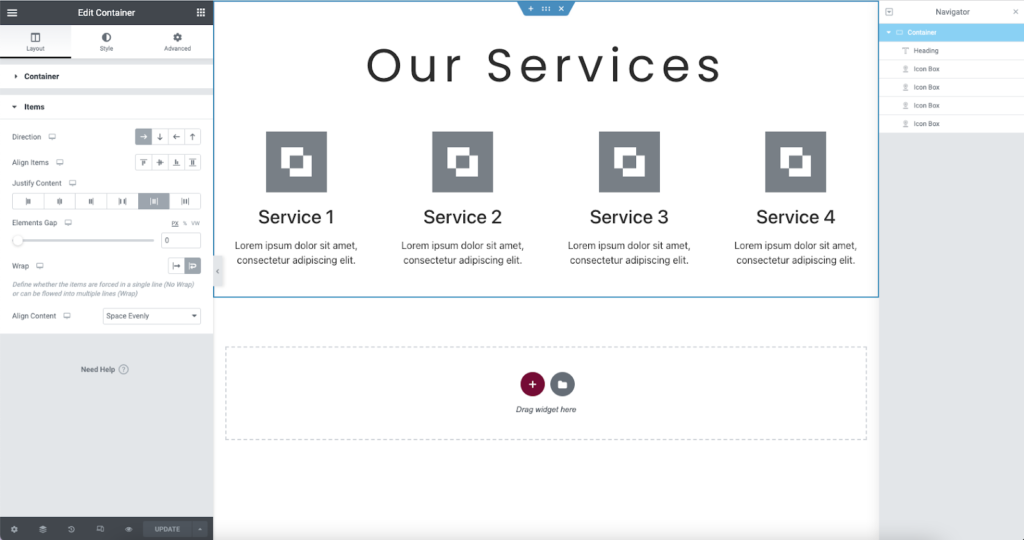
Elementor interface example:
Gutenberg Block Mapping
Gutenberg uses HTML with block comments. Parse to Portable Text (blogs) or sections (pages).
Use libraries like @wordpress/block-serialization-default-parser.
Example for rich text:
import { parse as parseBlocks } from '@wordpress/block-serialization-default-parser';

function convertGutenbergToPortableText(html) {
  const blocks = parseBlocks(html);
  return blocks.map(block => {
    if (block.blockName === 'core/paragraph') {
      return { _type: 'block', style: 'normal', children: [{ _type: 'span', text: stripHtml(block.innerHTML) }] };
    }
    if (block.blockName === 'core/image') {
      // Resolve image URL → upload to Sanity asset
      return { _type: 'image', asset: { _ref: '...' } };
    }
    // Fallback for unknown/custom blocks
    return { _type: 'block', style: 'normal', children: [{ _type: 'span', text: stripHtml(block.innerHTML) }] };
  }).flat();
}
ACF Field Migration
ACF fields map straightforwardly:
- Simple fields → direct Sanity fields
- Repeaters/flexible content → arrays of objects/sections
Example:
function mapAcfToSanity(wpPost, acfData) {
  return {
    // ...
    hero: {
      heading: acfData.hero_heading,
      backgroundImage: acfData.hero_background_image?.url ? { _type: 'image', asset: { _ref: '...' } } : null,
    },
    features: (acfData.features || []).map(feature => ({
      _type: 'featureItem',
      title: feature.title,
      description: feature.description,
    })),
  };
}
When Off-the-Shelf Tools Are Enough
For simpler sites (vanilla blogs, few custom fields):
- Use kmelve/wordpress-to-sanity GitHub repo — great starter for XML/JSON import and mutate API.
- Or newer CLI tools (e.g., salttechno/wp-to-sanity-migration) for quick “afternoon” migrations.
For enterprise/complex setups (custom blocks, ACF repeaters, Elementor, multi-brand): custom logic is usually required to avoid data loss or brittle schemas.

Testing & Validation Before Launch
A technically perfect import means nothing if the live site breaks SEO, performance, or editor workflows. Validate rigorously before going public.
Pre-Launch Checklist
Run these checks systematically:
- Content completeness
- Document counts match (posts, pages, categories, authors, media assets)
- Relationships intact (references to authors/categories, internal links)
- Edge cases handled (drafts, scheduled posts, very old content, unusual formats) Simple verification script example (using Sanity client):
async function verifyCounts(sanityClient, wpExport) {
  const wpPostCount = wpExport.filter(i => i.post_type === 'post').length;
  const wpPageCount = wpExport.filter(i => i.post_type === 'page').length;

  const sanityArticleCount = await sanityClient.fetch('count(*[_type == "article"])');
  const sanityPageCount = await sanityClient.fetch('count(*[_type == "page"])');

  console.log({
    wordpress: { posts: wpPostCount, pages: wpPageCount },
    sanity: { articles: sanityArticleCount, pages: sanityPageCount }
  });
}
Spot-check 10–20 documents manually in Sanity Studio for formatting, images, and metadata.
- Broken links & redirects
- Crawl new site with Screaming Frog or similar
- Verify 301s fire correctly (no chains, no 404s on high-traffic URLs)
- Check internal links resolve to new patterns
- Performance & Core Web Vitals
- Run Lighthouse (local or PageSpeed Insights) on key pages
- Target: INP < 200 ms, LCP < 2.5 s, CLS < 0.1
- Compare before/after (old WP vs new headless)
- Test logged-in vs logged-out views (previews can behave differently)
- SEO baseline
- Crawl old site → export current titles, metas, canonicals, structured data
- Crawl new site → compare 1:1
- Validate JSON-LD with Google’s Structured Data Testing Tool or Rich Results Test
- Check hreflang tags (if multilingual)
- Editor & workflow testing
- Have actual content team create/edit/preview/publish in Sanity
- Test approvals, roles, real-time collaboration
- Verify previews match production rendering

SEO Launch Monitoring Plan
Post-launch volatility is normal (Google re-crawls take time). Monitor actively:
- Google Search Console: Submit new sitemap, request indexing for key URLs, watch for crawl errors/404s
- Index coverage report: Track impressions/clicks before vs after
- Ranking volatility: Use tools like Ahrefs/Semrush to monitor top pages
- Structured data warnings: Fix any parsing issues immediately
- Real-user metrics: Cloudflare/Web Vitals extension for field data
- 301 validation script: Simple Node script to batch-check old URLs → expect 301 → new URL status

Plan for 4–8 weeks of close monitoring. Communicate expectations to stakeholders: short-term dips are common; long-term gains (speed, mobile, structured data) drive recovery and growth.
Case Study: Scaling Beyond WordPress (LocalCoin Example)
To make the theory concrete, here’s a real-world example from one of our completed migrations.
Context
LocalCoin is Canada’s largest Bitcoin ATM network, operating over 1,000 terminals across multiple countries. They were experiencing rapid growth with expansions into Europe and Australia, alongside strengthening their legal and compliance requirements in the finance/crypto space.
- Multi-language support needed
- High compliance/security demands
- Fast-growing content (locations, guides, news, compliance pages)
Problems with WordPress
- Slow page speed impacting user experience and conversions (high INP scores, heavy plugins)
- Outdated WP stack with 30+ plugins (overlapping functions, abandoned ones, expired premiums)
- Security concerns in a sensitive industry (public wp-admin, vulnerable endpoints)
- Rigid content structure not scaling for multi-brand/location expansion
- Editorial team bottlenecks on updates and previews
Solution Architecture
After a full audit (plugins, URL map, content types, non-functional requirements), we recommended and implemented:
- Sanity as the headless CMS for structured, multilingual content
- Next.js frontend for fast, decoupled rendering
- Vercel for hosting, previews, and edge functions
- Custom migration scripts for complex mappings (locations as custom types, compliance blocks)
Key decisions:
- Pages as modular sections (hero, location finder, FAQ, testimonials)
- Blog/news as Portable Text for easy writing
- Shared entities (SEO, authors, categories, brands)
- Full SEO layer (301 map, canonicals, hreflang, JSON-LD for local business schema)
Execution Highlights
- Phased import: content first, then media/assets with retry logic
- Custom handling for location data (geo fields, hours, compliance notes)
- Previews integrated via Sanity’s real-time API and Next.js draft mode
- Redirects and metadata preserved meticulously
Outcomes
- Faster loads and smoother UX → measurable conversion improvements
- INP scores dropped significantly (better mobile performance)
- Easier multilingual content management for the marketing team
- No SEO damage post-launch — clear before/after expectations met (traffic stable or up after re-crawl)
- Future-proofing enabled: easier addition of online sales, account dashboards, API integrations
This project demonstrates the value of upfront analysis and architecture-first approach — the migration supported rapid expansion without the usual post-launch chaos.
Sanity Studio example showing a modular page document in edit mode:

WordPress vs Sanity (Quick Comparison)
A side-by-side view to help decision-makers quickly see the shift.
| Aspect | WordPress | Sanity |
|---|---|---|
| Content Management | Plugin ecosystem, themes, page builders | API-first, structured documents, GROQ queries |
| Layout & Design | Theme-driven, shortcodes, builders | Frontend-decoupled (React/Next.js components) |
| Page Builders | Elementor/Divi/WPBakery (heavy HTML) | Modular sections + Portable Text |
| SEO & Metadata | Yoast/Rank Math plugins | Custom objects + frontend rendering |
| Security Surface | Public wp-admin, plugin vulnerabilities | Hardened backend, token-based API access |
| Performance | Cache layers often conflict | Fast CDN + ISR/SSR + edge functions |
| Scalability | Plugin debt accumulates | Designed for multi-brand, multi-channel |
| Editor Experience | Gutenberg + builder mix | Clean Studio, real-time previews, collaboration |
| AI & Future-Proofing | HTML blobs | Atomized, queryable content for LLMs/agents |
| Maintenance | Frequent updates, plugin conflicts | Schema evolves safely, no plugin bloat |
Sanity trades some immediate simplicity for long-term control, speed, and flexibility — exactly what scaling companies need in 2026.
Conclusion: Migration Is an Architectural Decision
Migrating from WordPress to Sanity is rarely about “moving posts.” It’s about choosing an architecture that supports your next phase of growth — faster performance, secure content delivery, happier teams, multichannel reach, and content that thrives in an AI-first world.
The difference between a smooth 3–6 month project and a painful 12+ month ordeal comes down to one thing: planning before coding.
If you’re ready to move beyond plugin chaos and build a future-proof content platform:
- Book a free architecture consultation with our Sanity-certified team
- Request a migration readiness audit (we’ll review your current setup in 1–2 hours)
- Talk to experts who have completed 50+ migrations — including rescues of failed projects
We help companies like yours scale confidently. Let’s talk about yours.
FAQ
Yes — if your site suffers from plugin debt, performance issues, security concerns, multichannel needs, or rigid workflows. For small brochure sites with no dev resources, the effort may outweigh the benefits.
Simple blogs: 4–12 weeks. Complex enterprise sites (multi-language, custom post types, page builders): 4–12 months. Our average: 3–6 months when planned properly from the start.
Not if done correctly. With full 301 mapping, preserved metadata, canonicals, hreflang, and structured data, most clients see traffic stable or improved within 1–3 months post-re-crawl. We’ve never had permanent damage when SEO is planned early.
Yes — but not by cloning layouts. Extract content (text, images, CTAs) and map to Sanity sections. Rebuild visual styles in the frontend. This keeps schemas clean and maintainable.
Better depends on needs. Sanity excels for scale, multichannel, structured content, developer control, and AI-readiness. WordPress wins for very small sites or zero-budget simplicity.
Varies widely: $15k–$50k+ depending on complexity, team size, custom integrations, and whether it includes frontend rebuild. Contact us for a free audit and realistic estimate.
Yes for setup and maintenance — but once built, editors use a clean Studio interface similar to (but faster than) WordPress. No more plugin hunting.