Vercel Hosting Costs & Pricing: Complete 2026 Guide (With Real Optimization Results)



TL;DR
- Vercel Pro costs $20/seat/month with 1TB bandwidth included — most small teams stay under $100/month.
- The Enterprise plan starts at ~$3,500/month and is only justified by compliance or SLA requirements, not performance.
- Costs spike due to overuse of SSR, unoptimized bundles, missing caching, and ghost seats — not Vercel’s pricing model itself.
- Bandwidth overages cost $40/100GB on Pro — monitoring before you hit 800GB/month is critical.
- With targeted code-level optimizations, we reduced one client’s Vercel bill by 35% and increased their traffic capacity by 1.5×.
- If you’re spending over $1,500/month on Vercel without having audited your setup, you’re almost certainly overpaying.
Cut Vercel Pricing: Start by Checking Your Code
When it comes to hosting Next.js apps for SaaS, few other solutions are as comfortable and performant as Vercel. However, Vercel hosting costs can still increase quite fast, especially at production scale.
Vercel Pro starts at $20 per seat per month, with 1TB of bandwidth and 1,000 build minutes included. For most small teams, that keeps monthly bills well under $100. The problems start when traffic grows, SSR is overused, or bundles go unchecked — and suddenly a $60/month setup becomes a $600/month problem.
If your first thought is to blame Vercel for this, it would be wrong. The company has recently implemented numerous changes, which have helped cut costs across its services for thousands of users, but even that might not be enough if your code is to blame.
In our recent project, we worked with a SaaS platform struggling to keep its hosting budget under control. Despite having a relatively lean app, their monthly Vercel invoice kept growing. After a full audit, we discovered numerous optimization issues in their setup and, by addressing them, reduced the client’s Vercel costs by 35%, increased traffic capacity by 1.5×, and reduced build time by 40%.
Today, we’ll use the experience gained from working on that project to show you four easy ways you can optimize your code.
First, let’s see what exactly you are paying for when using Vercel.

How Much Does Vercel Hosting Cost?
However, the problems start when your app gets hit with a sudden growth. Even the best-prepared teams might not anticipate how variable usage changes, like function execution and bandwidth, can add up behind the scenes.
Plans and Pricing for Vercel
Plans and Pricing for Vercel
Vercel offers three hosting tiers. Here’s what each actually costs in 2026:
Hobby (Free)
For personal projects and prototyping only. Non-commercial use per Vercel’s Terms of Service — if your app generates revenue, you’re expected to upgrade. Limits: 100GB bandwidth, 100GB-hours function execution, 600 build minutes/month, 1 seat.
Pro ($20/seat/month)
The practical starting point for any production Next.js app. Includes 1TB bandwidth, 1,000 build minutes, and full Edge Middleware access. Bandwidth overages cost $40 per 100GB. Build minutes are billed at $0.014/min (standard), $0.028/min (enhanced), or $0.126/min (turbo) once included minutes are exhausted. A three-person team running a well-optimised app typically stays under $100/month.
Enterprise (from ~$3,500/month)
Custom pricing for organisations that require SSO, HIPAA/SOC 2/ISO 27001 compliance, a Web Application Firewall, parallel builds, and dedicated SLAs. Worth it if those requirements are mandatory — not for performance reasons alone.
Vercel Tiers Comparison
| Feature | Hobby (Free) | Pro ($20/seat/mo) | Enterprise (Custom) |
|---|---|---|---|
| Bandwidth | 100GB | 1TB | Custom (5TB+) |
| Bandwidth overage | — | $40/100GB | Negotiated |
| Function execution | 100GB-hours | 1TB-hours | Custom |
| Build minutes | 600/mo | 1,000/mo | Custom |
| Build minute overage | — | from $0.014/min | Negotiated |
| Team seats | 1 | $20/seat | Negotiated |
| SSO / SAML | ❌ | ❌ | ✅ |
| WAF | ❌ | ❌ | ✅ |
| SLA | ❌ | Standard support | Dedicated + SLA |
| Compliance | ❌ | ❌ | SOC 2, HIPAA, ISO 27001 |
Vercel pricing as of June 2026
Vercel Tiers Comparison
Each of Vercel’s tiers offers great features and developer experience depending on your needs. When deploying a web application, you should keep in mind its limitations:
| Feature | Hobby Plan (Free) | Pro Tier ($20/user/mo) | Enterprise Plan (Custom Pricing) |
| Function Execution Limits | 100 GB-hours | 1 TB-hours | Custom (often 5–10× Pro or higher) |
| Bandwidth | 100 GB | 1 TB | Custom (e.g., 5TB+) |
| Build Execution | 600 minutes/month | 1,000 minutes/month | Custom (up to unlimited) |
| Team Seats | 1 user | $20 per additional user | Negotiated |
| Analytics & Monitoring | Basic | Enhanced | Full observability + integrations |
| SLAs & Support | Community only | Standard support | Dedicated support + SLAs |
v0 pricing is flexible but highly usage-dependent. Individual plans work well for testing and solo development, while Team and Business plans are better suited for structured collaboration and shared AI usage.
The final cost depends not only on the selected plan but also on the chosen AI model, with v0 Mini being the most cost-efficient and v0 Max designed for complex, high-intelligence tasks. To avoid unexpected costs, teams should align their plan with collaboration needs and select models based on task complexity rather than defaulting to the most powerful option.
When Should You Commit to the Enterprise Plan?
This is a question we hear often, especially when comparing Pro vs Enterprise.
If you find yourself going over usage limits of Vercel Pro, it might be worth checking if you won’t be better off upgrading, rather than paying overcharges. Alternatively, those who need better security solutions could pick Vercel Enterprise because it supports SOC 2, ISO 27001, and HIPAA data policies, and includes features like Single Sign-On (SSO), role-based access control, private networking, and dedicated infrastructure.
Many dev teams upgrade their plan, only to find they’re now paying more to scale inefficiencies that remain in their apps. While the Enterprise Plan includes many advanced features, more security, and customer support, it’s not the best solution for every team. If you want to start saving on Vercel hosting costs quickly, your best option is to first look into your code and see if there aren’t any opportunities there.
Looking for Savings in Your Vercel Set Up?
Where to Start Optimizing Your Vercel Hosting Costs
Do an Architectural Audit
Before making any changes, take a step back and audit how your app is structured. For our client, we began by analyzing their deployment architecture, how routes were handled, where serverless functions were triggered, and how often they were executed.
Using Vercel’s built-in analytics alongside our own monitoring tools, we were able to identify inefficiencies that weren’t visible from the code alone, like bottlenecks affecting execution time or data transfer.
Identify Cost Drains
Once the big picture was clear, we drilled into the specifics. Where was bandwidth being consumed most? Which pages relied too heavily on SSR? Which API routes were generating the most function invocations?
Answering these questions helped us isolate the most expensive parts of the app, often things the client didn’t even realize were driving costs.
Begin Targeted Optimizations
With the data in hand, we prioritized quick wins. We replaced unnecessary SSR with SSG and ISR, adjusted or added some caching for API responses, andslimmed down bloated bundles.
Vercel Cost Red Flags Checklist
Before touching any code, run through this list. Each item is a pattern we see repeatedly in audits that silently inflates Vercel bills.
Caching
- API routes returning dynamic data have no caching layer (ISR, revalidate, or Cache-Control headers)
fetch()calls inside Server Components are not using Next.js data cache (cache: 'force-cache'ornext.revalidate)- Large images served via
next/imagewithout a CDN cache in front — Vercel re-processes on every unique dimension request
Serverless Functions
- Functions open a new database connection on every invocation (no connection pooling via PgBouncer or Prisma Accelerate)
- Functions fetch large external payloads (CMS responses, product catalogs) without caching the result
- No timeout limits set — a slow third-party API call holds a function open and runs up execution-duration billing
Bandwidth
- No monitoring alert set before you hit 800GB/month — you want to know before the overage, not after
- API routes return full database objects when the client only needs a subset of fields
- Static assets (fonts, PDFs, large JS bundles) served from Vercel instead of an external CDN
Seats
- Former team members or contractors remain as active billable seats
- No quarterly seat audit — on a 10-person team, two or three ghost seats is an invisible $40–60/month leak
Build Minutes
- Large monorepos or image-heavy builds consuming enhanced or turbo machine minutes ($0.028–$0.126/min) without teams realising
- No build cache configured — identical builds rerunning from scratch on every deploy
Four Optimizations That Helped Our Client Save 35% on Vercel hosting costs
Optimization 1: Monitor Your Vercel Setup
Aside from the rising cost, one of the biggest issues our client’s team had was the lack of visibility into the cost drivers. To help them get a better view of their app, we used Vercel’s analytics to get insights into function invocations, build times, and bandwidth usage.
Immediately, we were able to find areas for improvement and showed our client what exactly was affecting their costs. Knowing where the problems lay helped find optimal solutions and made the client’s team aware of what to pay attention to in the future.
Optimization 2: Replace SSR with SSG and ISR Where Needed
Many SaaS teams use SSR for all dynamic content by default. That’s understandable, since it feels like the most flexible solution. But SSR triggers serverless functions on every request, even for data that rarely changes.
In this project, we started with a full audit of all dynamic routes. We found that many pages could be served statically or semi-statically. For marketing pages and documentation, we switched to SSG. For user dashboards with semi-frequent updates, we used Incremental Static Regeneration (ISR) with refresh intervals based on how often the data actually changed.
While SSR feels like the safest default, overusing it often leads to unnecessary server work and slower user-perceived performance — one of the most common Next.js mistakes that hurt Core Web Vitals.
We also made sure fallback behavior and cache invalidation were configured correctly to avoid stale data.
Optimization 3: Cut Down on Function Invocations
SSR wasn’t the only thing influencing the bills in this project. Several client-side components in the app were making repeated fetches for unchanged data. It was happening particularly often on route transitions or periodic refreshes.
To stop this loop, we introduced SWR (stale-while-revalidate) on the frontend to cache requests. On the backend, we added caching for frequently accessed API responses to reduce redundant processing and improve response times.
These changes reduced the number of daily invocations, which helped to save hundreds of dollars per month and reduce the load on our client’s backend services.
Optimization 4: Slim Down Your Bundle & Build
Our client’s app was using a few heavy dependencies unnecessarily and bundling entire icon libraries when it only needed a few icons. Bloated JavaScript bundles increase build times and hosting costs, so changes had to be implemented immediately.

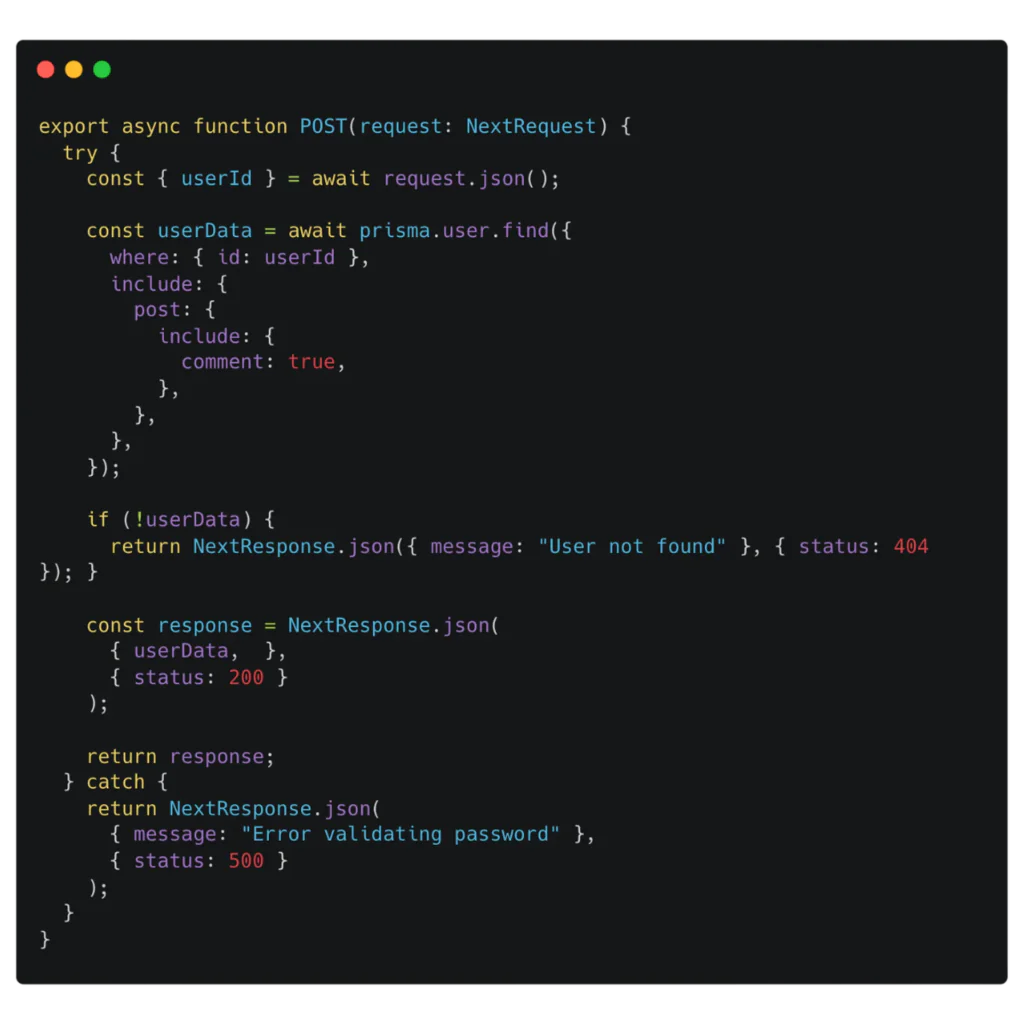
We ran a full bundle analysis using @next/bundle-analyzer. Based on the output, we removed unused packages, swapped out heavier libraries for native alternatives, and deferred rendering of complex components using dynamic imports. We also used image optimization to increase performance where possible.
With those changes, we managed to drop the build time by 40% and improved perceived app speed for users thanks to a smaller initial JS payload.
Results
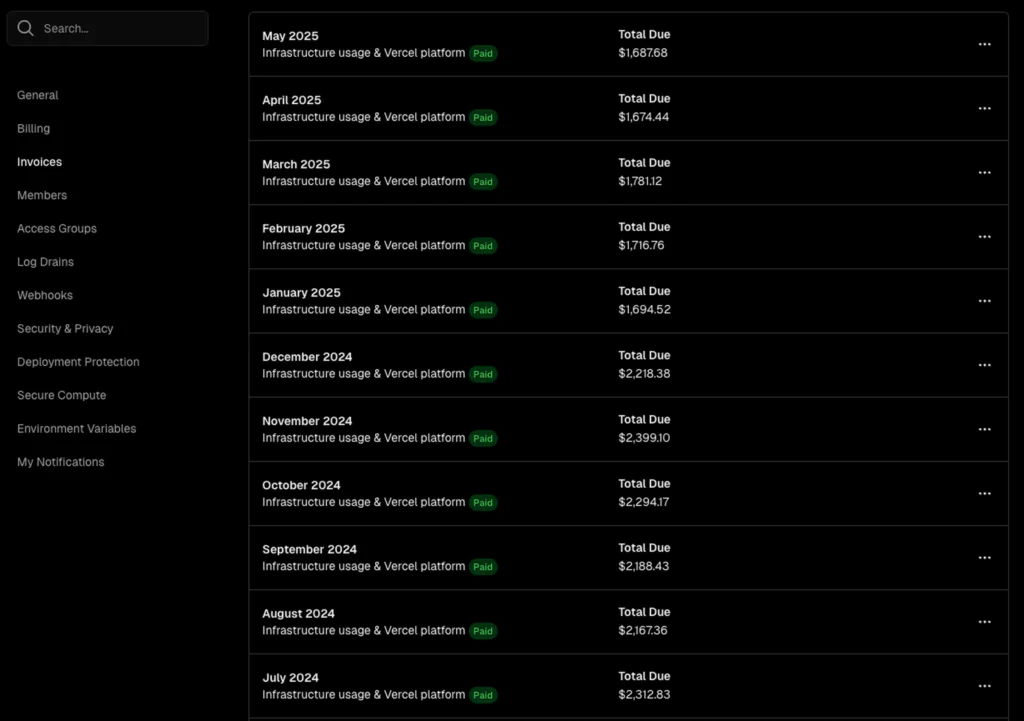
Our client’s project launched in a controlled beta in December 2024. Since implementing our optimizations, they have seen several notable improvements:
- Their monthly Vercel costs dropped by 35%.
- By streamlining builds, we managed to reduce their deployment times by 40%.
- The platform now handles 1.5x the user traffic without additional costs.
- The cost monitoring dashboard helped our client’s team manage usage proactively.

Vercel uses a pay-as-you-go pricing structure, which means you pay for only the services you really use. Their recent changes to the pricing model (like introducing Fluid Compute) helped users to lower the costs even more.
The project is constantly being improved, based on the usage data and user feedback, which has been positive so far. The users reported faster load times and no disruptions during peak usage. We continue to support the client, making sure the platform stays optimal.
Vercel vs. Alternative Hosting Platforms (2026)
If you’ve optimized your setup and costs are still climbing, here’s how Vercel compares to the main alternatives:
| Platform | Paid entry point | Bandwidth included | Next.js support | Best for |
|---|---|---|---|---|
| Vercel Pro | $20/seat/mo | 1TB | Native | Next.js teams, DX-first workflows |
| Netlify Pro | $19/seat/mo | 1TB | Good, not native | Teams needing built-in forms or A/B testing |
| Cloudflare Pages | $5/mo flat | Unlimited | Partial (no ISR/RSC parity) | Static/JAMstack, budget-sensitive builds |
| Render | $19/mo per service | 100GB | Via Node.js, no native optimisation | Teams wanting predictable flat bills |
| Railway | ~$5/mo | No hard limit | Via Node.js runtime | Startups, solo devs, variable traffic |
| Self-hosted | ~$250–500/mo | Custom | Full control | Teams outgrowing Vercel Enterprise pricing |
Pagepro’s take: For Next.js apps on Vercel, the Pro plan covers the vast majority of production workloads when the setup is properly optimized. We’ve yet to encounter a client spending over $1,500/month who couldn’t cut that bill significantly before needing to consider alternatives.
Optimize Vercel Now, Scale Without Surprises Later
Deploying the Next.js app on Vercel doesn’t have to mean breaking the bank. It’s a comprehensive solution that works perfectly well for Next.js apps and offers excellent built-in functions, like its analytics tools.
While some code inefficiencies can raise your bills on Vercel, you don’t need to spend months fixing them. The solutions we offered for our clients didn’t require huge changes to their architecture, but resulted in real improvements and savings.
If you’re spending over $1,500/month on Vercel and haven’t yet looked into optimizations like this, you’re almost certainly overpaying for features you might not need.
We can fix it in two weeks.
Book a free 30-minute cost audit now and see what can be done to help you save money on hosting.
Start Saving on Vercel Now
Read More
- 40+ Great Examples of Next.js Websites
- Astro vs Next.js: Choose the Right Framework in 2025
- Optimizing Next.js Hosting Costs
- Self-Hosting Nextjs Apps
- Optimizing Vercel Hosting Costs
FAQ
It varies. With Pro Plan, you’ll be paying $20 + additional usage per month, but unoptimized SaaS apps often end up spending far more than expected. Enterprise Plan allows for more customized, but not always lower, pricing.
Yes. Vercel is beginner-friendly thanks to its free Hobby plan, which includes automatic deployments, previews, CDN, and serverless functions with zero configuration. Hobby plan is good for personal projects or prototypes, but teams or production apps usually need the Pro plan because of the build minutes, bandwidth, and serverless execution time limits.
It can be, if you’ve already optimized your setup, hit the Pro Plan limits, or need SLAs or dedicated infrastructure. Otherwise, try optimizing your current setup on the Pro first.
They can be under some circumstances. If you’re primarily using static content or want full control over costs, self-hosting or different hosting platforms like Cloudflare, Netlify, or AWS can be more affordable. However, that solution requires more technical expertise and prevents you from enjoying many of Vercel’s built-in functions.
Vercel Hobby Plan is a free option for those who work on small projects or are experimenting. While it’s limited, Vercel provides a generous set of features that make it worthwhile.
Vercel serverless functions run with 2 GB of RAM and 1 vCPU by default on every plan. On Pro and Enterprise plans, you can increase the allocation up to 4 GB RAM and 2 vCPUs for heavier workloads.
The free Hobby plan is fixed at 2 GB / 1 vCPU and cannot be upgraded. Memory limits apply per function execution, so exceeding them may result in timeouts or errors unless you move to a higher plan or optimize your code.
To optimize Vercel costs, replace unnecessary SSR with ISR and SSG, minimize bundle sizes, and add monitoring to spot cost spikes early.
On the Pro plan, bandwidth overages are billed at $40 per 100GB above the 1TB included. This makes bandwidth the most common source of surprise bills — particularly for apps serving large media files or unoptimized images. Setting a monitoring alert at 800GB/month gives you time to react before the overage hits.
The Pro plan includes 1,000 build minutes per month. Once exhausted, you’re billed per minute based on machine type: $0.014/min on standard, $0.028/min on enhanced, and $0.126/min on turbo. Large monorepos and image-heavy builds consume these quickly. Configuring build cache correctly is the fastest way to bring this number down.
Yes. The Pro plan is priced at $20 per active seat per month. Seat count is where bills quietly grow — former team members, contractors, and duplicate project workspaces are the most common culprits. A quarterly seat audit takes 10 minutes and regularly saves teams $40–100/month.